Why Your Desk Setup Probably Needs a Phone Stand — and What MagSafe Changes About the Decision
The phone stand is one of those desk accessories that people dismiss until they have one, and then wonder how they managed without it. Once your phone is at eye level — visible without picking it up, able to charge without a cable hunt, ready for a FaceTime call without being propped against a coffee mug — the utility of the thing becomes obvious in a way that’s hard to convey to someone who hasn’t tried it.
MagSafe changes the calculus specifically because it removes the cable. That sounds like a minor improvement until you’ve used a stand that charges wirelessly and realize you’ve stopped thinking about your phone’s battery entirely. It just stays charged while it sits on the stand, and you grab it when you need it.
The problem with most desk phone arrangements
The default arrangement for most people’s desk phones is flat on the surface, screen facing up or at the side of their monitor. This creates a few friction points that accumulate over the course of a day.
Checking notifications means picking up the phone or craning your neck to read the screen at a flat angle. Responding to a message while on a call means either holding the phone or setting it face-down, losing visibility. Charging means plugging in a cable, which means the cable is somewhere on the desk, and the phone stays at whatever angle the cable allows. Video calls from a desk mean propping the phone somewhere, which produces the signature off-angle framing of a phone propped against a book.
None of these are serious problems in isolation. Accumulated over a day of work, they’re a consistent low-grade friction that a stand eliminates.
What a good desk stand actually does
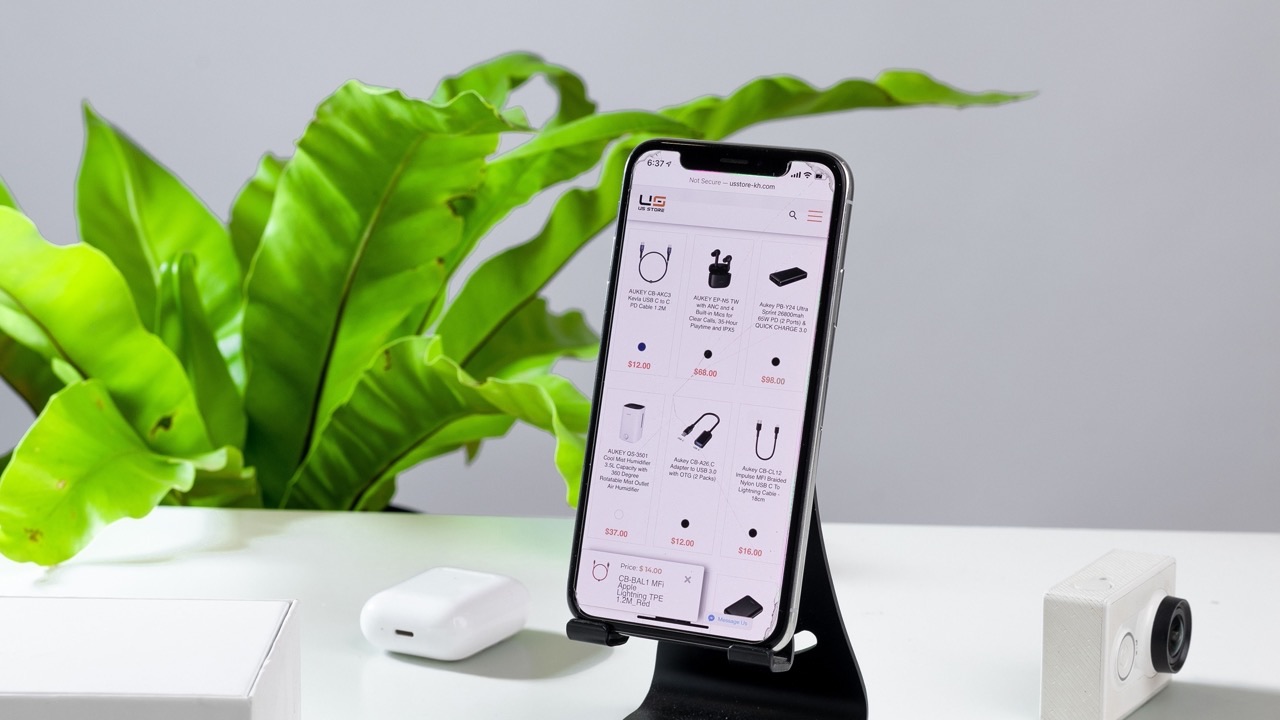
A desk phone stand resolves the angle problem first: your phone is at a height and tilt that matches your eye line without you having to pick it up. Glancing at the screen takes the same effort as glancing at a second monitor.
For video calls, a stand at the right height puts the camera roughly at eye level when you’re seated at your desk, which produces a dramatically better framing than a phone lying flat or propped at a low angle. The psychological difference between looking at someone who appears to be making eye contact with you versus looking at someone’s forehead or ceiling is real, and a stand makes it the natural default.
The charging integration in a MagSafe stand adds the third element: the stand is where the phone lives when you’re not using it, and where it charges while it sits there. The wireless connection means there’s no cable to manage, no port to line up, and no “I forgot to plug it in” situation. You set the phone on the stand when you sit down, and it’s at full battery when you get up.
What MagSafe specifically enables
MagSafe is Apple’s magnetic alignment system for iPhone 12 and later models. The magnets in the back of the phone and in compatible accessories create a secure snap-on connection that’s strong enough to hold the phone in landscape or portrait orientation without it slipping. For wireless charging, the precise magnetic alignment means the charging coil in the accessory lines up perfectly with the coil in the phone every time, which eliminates the efficiency loss that comes from misaligned wireless charging pads.
The practical difference this makes for desk use is that you can pick up and put down your phone on a MagSafe stand hundreds of times with no alignment thought required. It snaps into position. The first time you use a non-MagSafe wireless charger and have to nudge the phone around until the charging icon appears, the value of the magnetic alignment becomes obvious.
MagSafe stands are also available in designs that hold the phone in both portrait and landscape without requiring any adjustment to the stand itself. The magnets hold the orientation you choose, which makes transitioning between watching a video (landscape) and checking messages (portrait) a matter of picking up and putting down, not rotating a mount.
The desk stand design landscape
Desk phone stands range from simple angled holders with no charging to articulated arm mounts with MagSafe and USB pass-through. The variety in this category is wide enough that understanding what you actually need before buying prevents paying for features you won’t use.
The most popular form for desk use is the single-arm stand that holds the phone at a fixed angle — typically around 60 degrees from vertical — with MagSafe charging built into the mount surface. These are compact, stable, and don’t require any adjustment after initial placement. The peakzooc magsafe phone stand category has expanded significantly as MagSafe adoption has grown, with options at multiple price points and in multiple finish styles to match desk setups.
More elaborate designs include adjustable arm heights, swivel joints for repositioning the phone’s facing direction, and integrated cable management that routes the charging cable through the stand body rather than leaving it visible. For people who value cable aesthetics on a clean desk setup, the routing matters more than it sounds like it should.
Folding stands are worth considering for people who travel or work from multiple locations — a stand that collapses to a flat profile is easy to pack and sets up identically at different desks.
What determines whether you’ll actually use it
The desk accessories with the highest abandonment rate are ones that require any ongoing effort to maintain their utility — calibration, cable management that only works while everything is perfectly arranged, or form factors that inconvenience adjacent items on the desk.
A phone stand fails this test when it’s unstable (wobbles when you tap the phone), when the charging connection is unreliable (MagSafe stands are better here than non-magnetic wireless pads), when the angle doesn’t work for how your monitor is positioned, or when the stand’s footprint is large enough to be a nuisance.
The stands that actually stay on desks tend to be stable with a small footprint, simple to use with one hand, and positioned where picking up and replacing the phone is a natural motion rather than a reach. Getting the physical placement right on your desk matters as much as the quality of the stand itself — a good stand in an inconvenient position still ends up sitting unused.